Apply Design In-Depth Review: Superb Image Quality and 3D Control, but Be Prepared to Wait
Photorealistic 3D interior staging with manual furniture placement and 4K retouching, built for realism rather than speed.
Last updated: September 25, 2026
Disclosure: Some links below are affiliate links. At no additional cost to you, we may earn a commission if you purchase.
The Verdict & Ratings
Apply Design is not a "one-click, one-second" fast-food tool; it is a hardcore 3D hybrid staging studio. It offers unusually realistic physical lighting and precise manual control, supporting unlimited free revisions per image. However, this comes at the cost of a 3 to 15-minute preprocessing wait before you see a result.
Overall Score
4.3
/ 5.0
Ease of Use
Requires adapting to 3D spatial logic; definitely not a 10-second foolproof tool.
Value
Pay-as-you-go Apply Coins with no forced monthly subscription; once an image is unlocked, re-renders and revisions are free.
Quality
Extremely realistic contact shadows, 4K AI Retouch, and custom 3D furniture generated from a single photo.
Adaptability
Covers 2D interior staging, 360-degree image staging, and AI listing videos, though it does not build the 360-degree tour itself.
✅ Best for
Real estate photographers and detail-oriented senior agents who demand ultimate realism and precise manual control over individual furniture placement.
❌ Not for
Busy agents who need to generate a photo in 30 seconds from their car for social media, or users accustomed to fully automated, one-click staging.
Quick Decision Table
| Feature | Details & Hands-on Metrics |
|---|---|
| Tool | Apply Design (applydesign.io) |
| Best for | Photorealistic 3D interior staging, manual placement adjustments, and converting real-world furniture into reusable 3D models. |
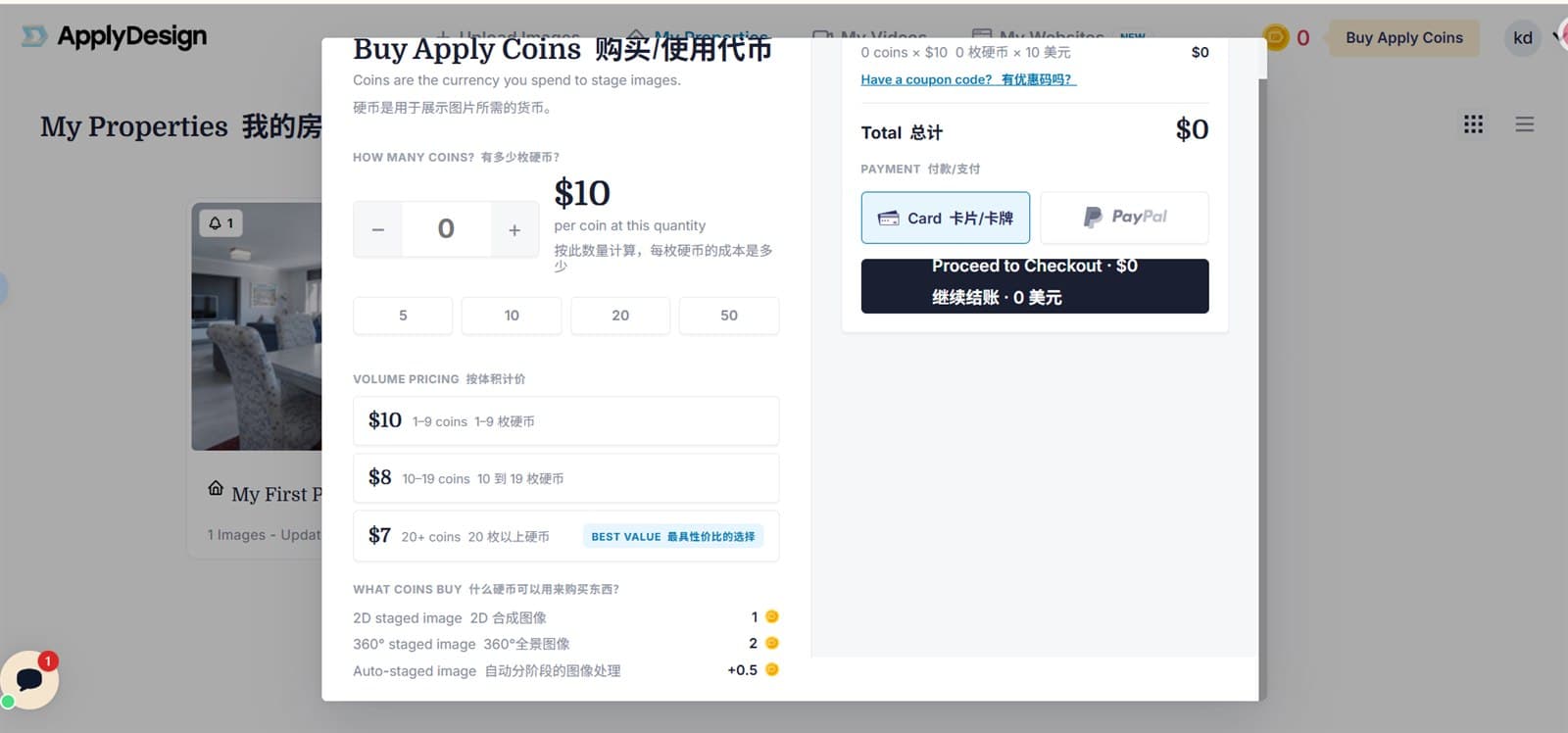
| Price | Pay-per-coin with no monthly fee: $10/coin (1-9 coins), $8/coin (10-19 coins), $7/coin (20+ coins). A 2D staged image costs 1 coin; auto-staging adds 0.5 coins. |
| Free Tier | 1 free Apply Coin on registration, but the free trial image can only be rendered up to 5 times. |
| Verdict | Very high image quality and lighting integration with extremely low trial-and-error costs, but slow preprocessing and rendering. |
Core Features Tested
Hands-on Test 1: Precise Placement and Realistic Physical Lighting
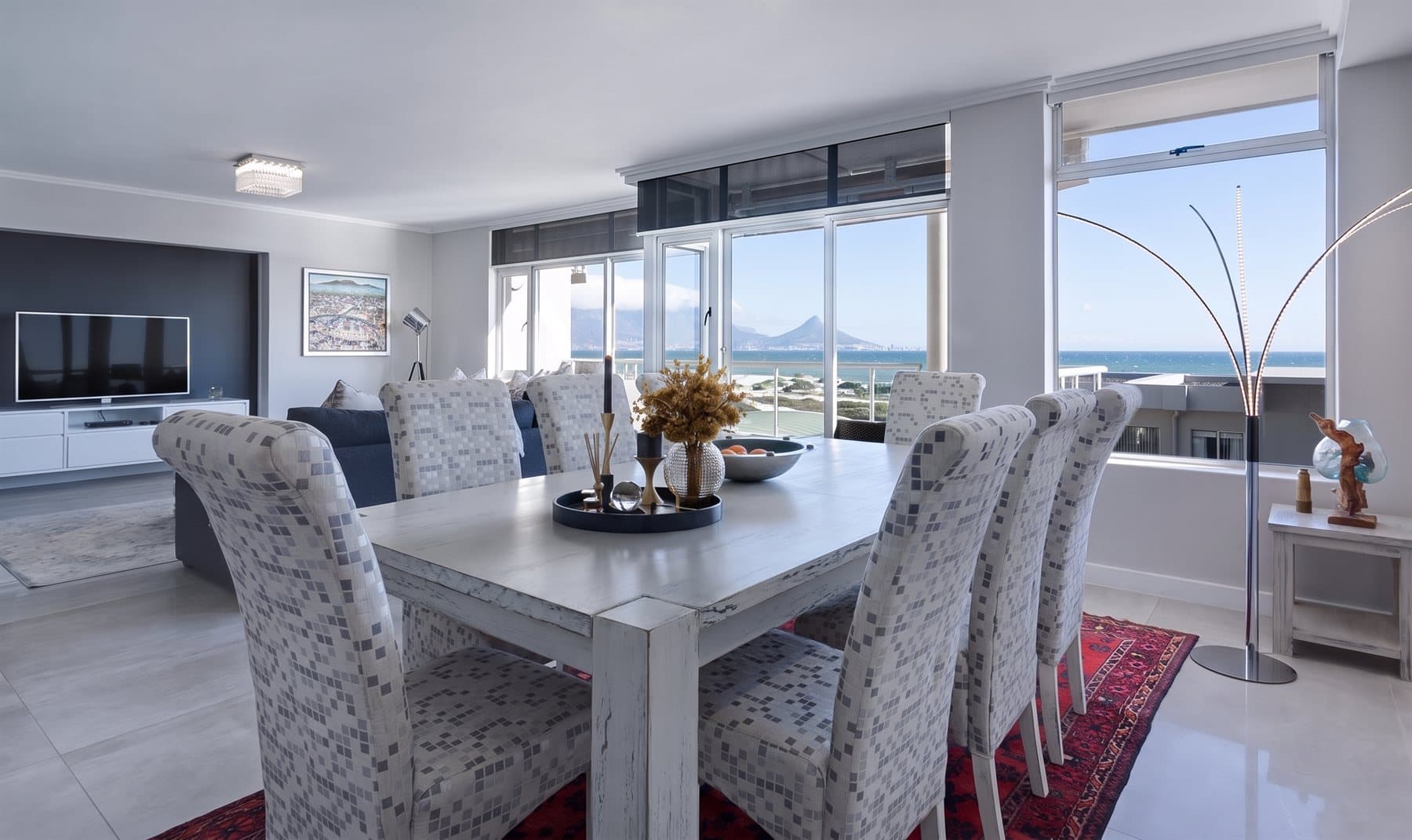
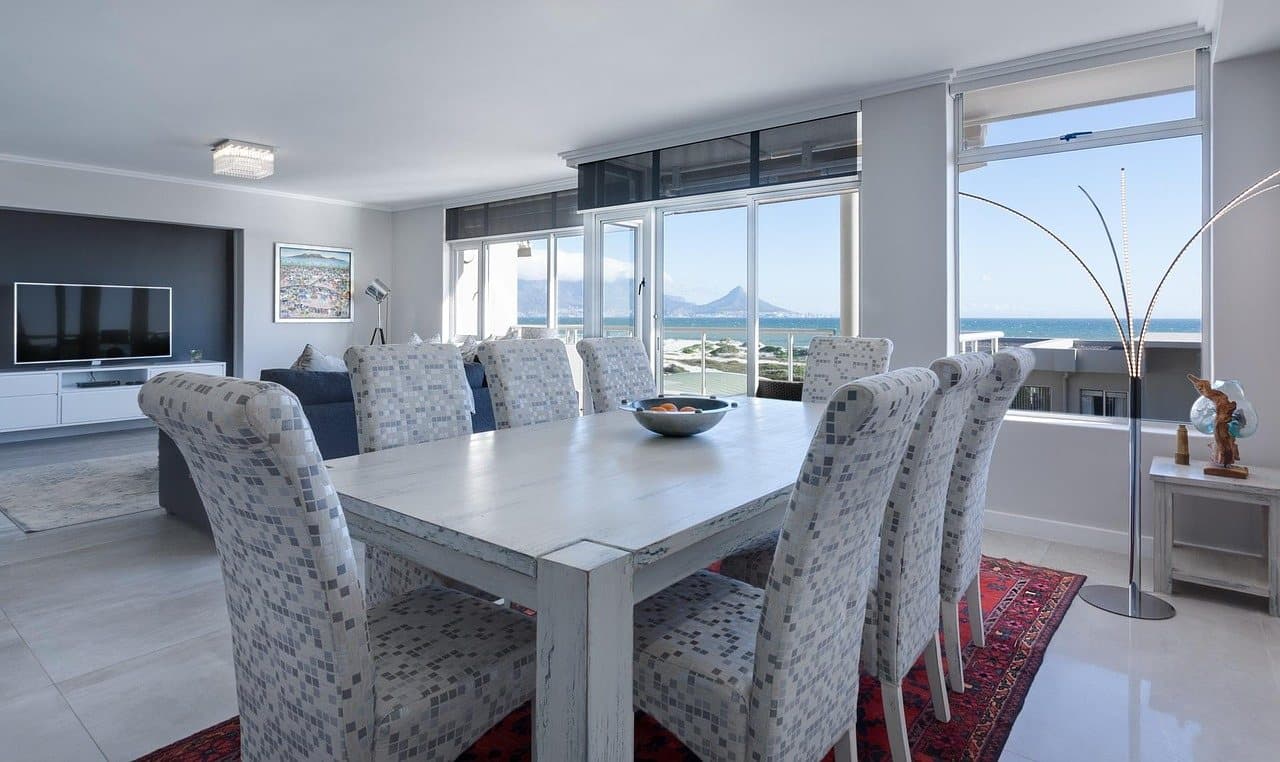
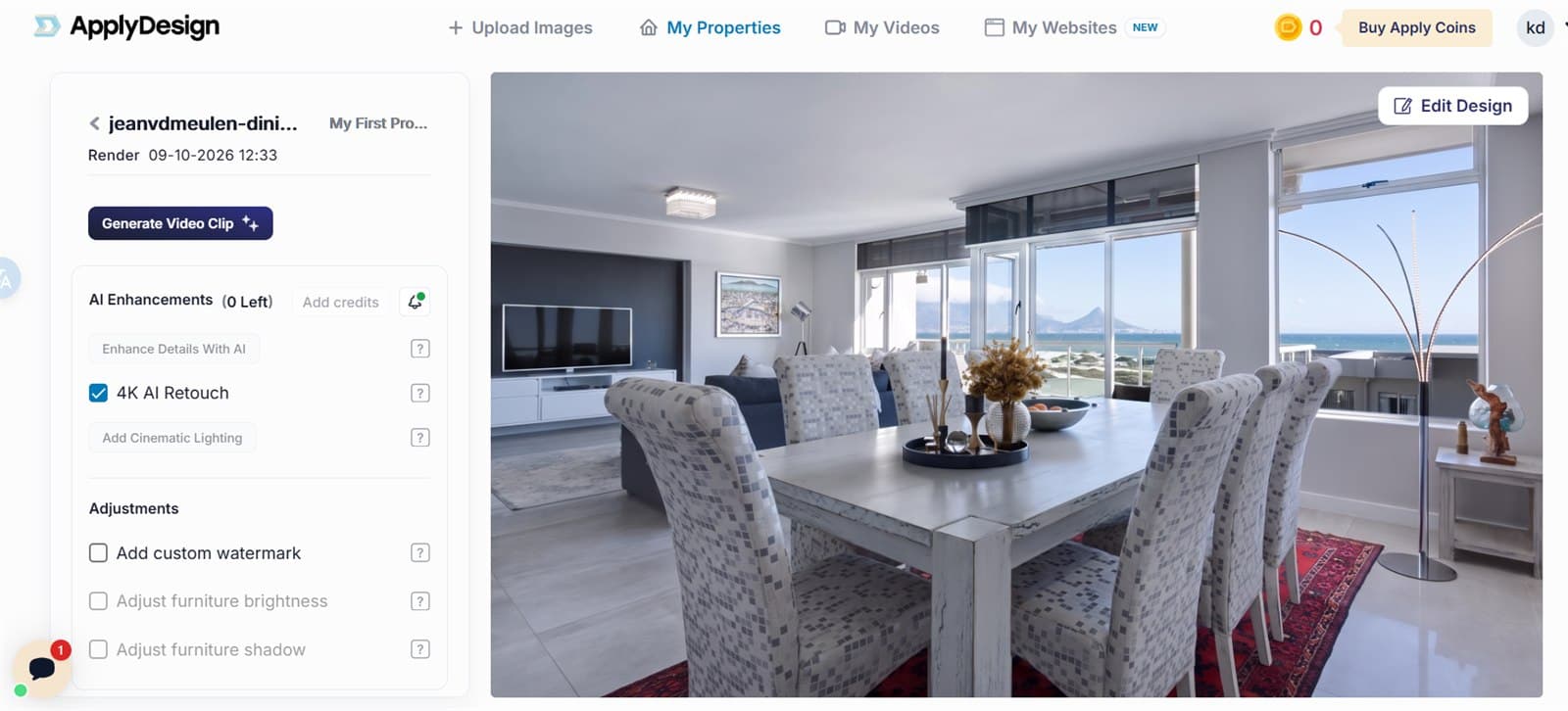
We tested adding tabletop decorations to an existing dining table. The AI did not distort the existing dining chairs or the pale wood grain of the tabletop, and the dried flowers and tray landed precisely in the center of the table. Most impressive: the contact shadows beneath the decorations matched the direction of the natural light coming from the floor-to-ceiling windows on the right, with no "floating" effect at all.
Hands-on Test 2: Processing Speed and the "Unlimited Revisions" Mechanism
The billing and time mechanics here are unusual. Officially, once you buy coins to unlock an image, later re-renders and modifications are free and unlimited. Speed is the catch: preprocessing for the DIY manual mode takes 3-5 minutes, while the Auto-staging mode takes 9-15 minutes and costs an additional 0.5 coins.
Feature Observation: Custom 3D Models From a Single Photo
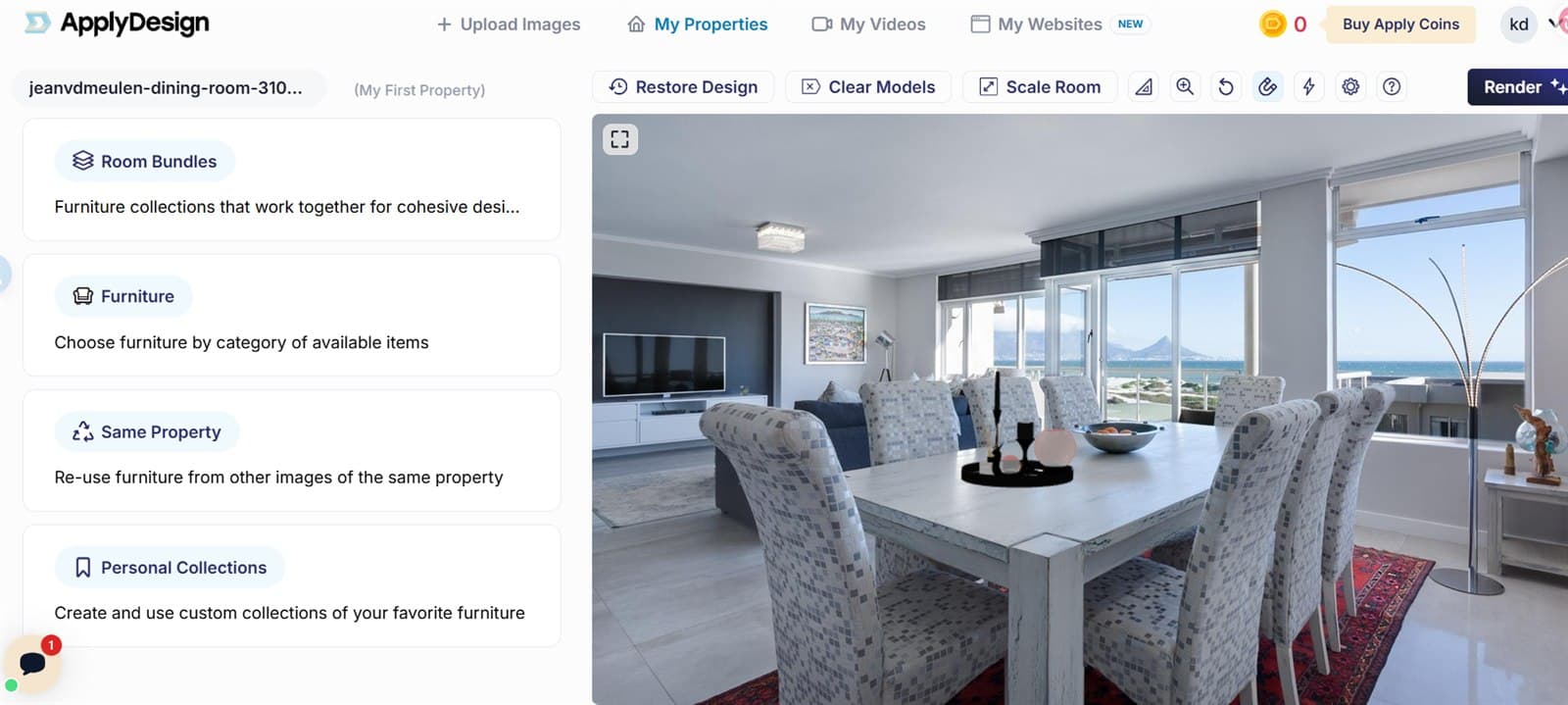
The documentation describes a reusable-furniture feature: upload a 2D photo of a specific real-world piece of furniture, a single sofa for example, and Apply Design converts it into a placeable 3D model for the room in 3-6 minutes, at 1 coin per model. Failed generations are refunded automatically. The AI Enhancements panel is where 4K AI Retouch, cinematic lighting and the detail pass live: auto-staged images get the realistic-details pass for free, while DIY staging charges 10 enhancements for 1 coin.
Head-to-Head Comparison
| Feature | Apply Design (Tested) | Virtual Staging AI (Competitor) |
|---|---|---|
| Underlying Logic | Interactive 3D placement plus automatic rendering | One-click generative diffusion (fully automatic) |
| Turnaround Time | Manual: 3-5 min preprocessing, then 4-8 min rendering. Auto: 9-15 min preprocessing | Under 40 seconds |
| Billing Model | Pay-as-you-go Apply Coins ($7-$10 per coin; 1 coin per 2D image, 2 per 360-degree image) | Monthly subscription ($16-$79/month, priced by photo volume) |
| Revisions per Image | Unlimited (for paid users) | Unlimited (after deducting a token for the image) |
| Manual Control | Extremely high: choose models, drag and move, adjust shadows | Almost none: applies presets, cannot drag individual items |
Pain Point Solutions
Solving the "Floating Furniture" Look of AI Staging
Pain Point & Traditional Cost
Purely generative AI tools often make furniture look like flat stickers or leave it floating in mid-air. Outsourcing perspective matching to a 3D modeller or a retoucher means paying a person for every image.
AI Solution
Apply Design calculates spatial perspective in the background, letting you place 3D model components with physical lighting calculations for $7 to $10 per coin, which removes the fake look without hiring a modeller.
Solving the Monthly Subscription Trap for Low-Volume Agents
Pain Point & Traditional Cost
Many independent agents only list a new property every few months. Committing to a monthly staging subscription means paying during the months with nothing to stage: Virtual Staging AI, the closest competitor we tested, starts at $16/month for 6 photos, or $19/month for 20 photos.
AI Solution
Apply Coins use a pure pay-as-you-go model, and the pricing page states the coins carry no expiration, which suits agents with inconsistent listing volume.
❌ The Dealbreaker
The Invisible Shackles of the Free Trial (Render Limits)
Although the platform advertises unlimited re-renders after purchase, a completely free account is capped. With the 1 welcome coin you can render your free trial image up to 5 times; once you hit that ceiling you must buy Apply Coins to keep adjusting the design.
High Time Cost (Goodbye Instant Delivery)
This is not a tool for instant feedback. Even the fastest manual DIY mode needs a 3-5 minute wait just for preprocessing. Staging a four-room listing, with rendering and tweaking queues on top, can easily consume over half an hour.
Frequently Asked Questions
Does Apply Design require a monthly subscription fee?
No. It uses a token system called Apply Coins, priced between $7 and $10 each. Rendering a standard 2D image costs 1 coin, with no mandatory monthly contract.
I heard it offers unlimited revisions per image; does this apply to the free version too?
Paid users get unlimited revisions, but the free trial is strictly limited to a maximum of 5 renders of the first image; you must top up once you reach that limit.
Can it generate real estate listing videos from a Zillow link?
Yes. Pasting a Zillow listing URL auto-fills the property details, and each photo becomes a 4-second cinematic clip with AI voiceover, captions and music. Video generation costs 0.5 Apply Coins per photo, and you can only import listings that are already on Zillow.
How We Tested
We conducted a hands-on test of Apply Design in 2026 using an active account. This test cost us $0: we used the single free Apply Coin issued automatically on registration.
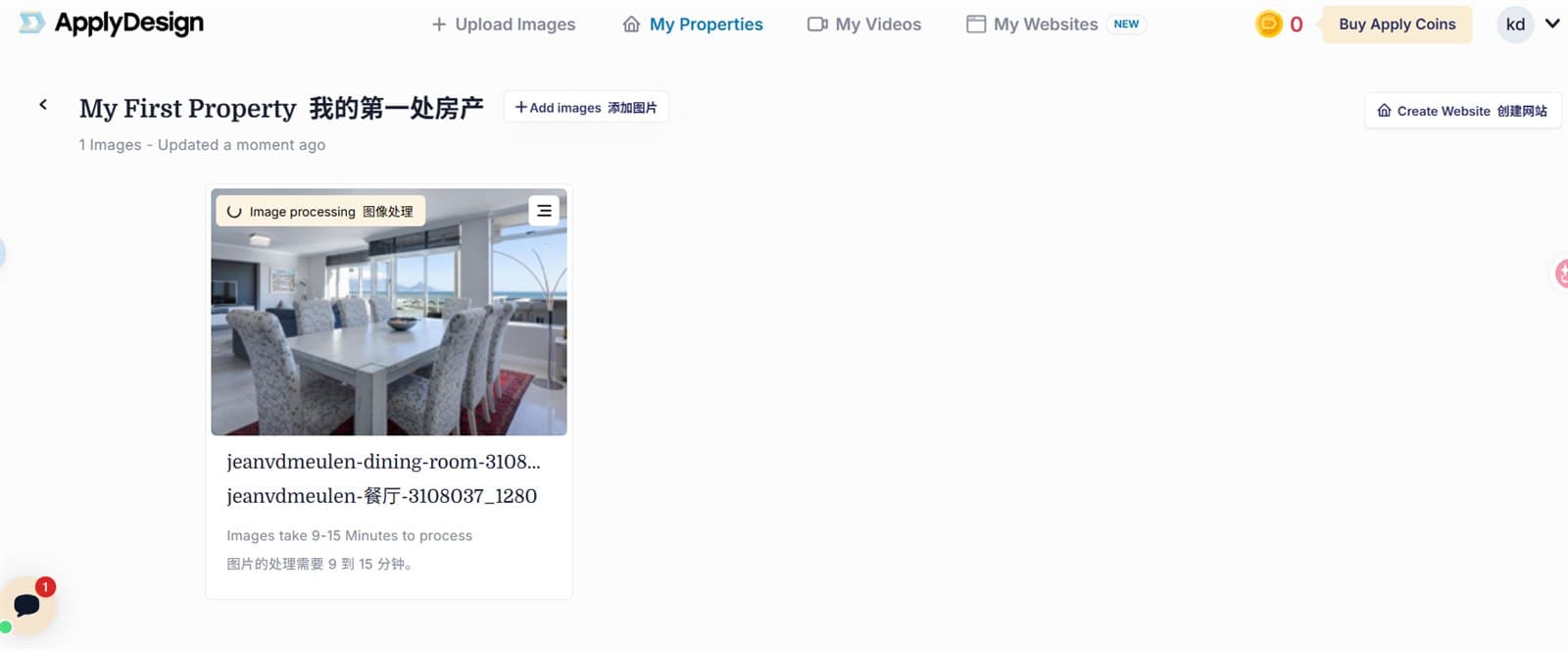
We uploaded a high-definition photo of a dining room with daylight pouring in from floor-to-ceiling windows. After entering the 3D interactive editor, we manually placed a tabletop decor set consisting of a tray, candles, and a dried-flower vase. The balance dropped from 1 to 0 and the image moved into the processing queue shown on the My Properties page.
That queue is the trade-off. Apply Design's own documentation states that preprocessing for the DIY manual mode takes 3-5 minutes, while the Auto-staging mode takes 9-15 minutes and costs an additional 0.5 coins.
Sources
- Apply Design pricing and Apply Coins volume tiers (official) — the volume tiers behind the Price row ($10 per Apply Coin for up to 9 coins, $8 for 10-19, $7 for 20 or more), the credit costs behind 'a 2D staged image costs 1 coin; auto-staging adds 0.5 coins' (DIY staging 1 credit for a 2D image, auto staging 1.5), and the 'First image is free' offer behind the Free Tier row
Try Apply Design
1 free Apply Coin on registration; the free trial image can be rendered up to 5 times